Snowflake | Walkthrough
A sales assistant for Snowflake’s field sellers.
This page follows one seller through one customer meeting: before, during and after. Each section shows one part of EZguide. At the end you can see every screen on one board.
Scroll to start

01
Maya sells Snowflake to large companies. At 10:00 AM she has her second meeting with Fidelity Investments.
Maya Okafor

Fidelity Investments, 10:00 AM

02
Sellers lose time and miss things because the information they need is spread out.
There are hundreds of documents. Sellers can’t find the right one during a meeting, so they use a generic one or ask Marketing.
Calendar, CRM and email aren’t connected. Nothing tells the seller that a competitor came up last week.
Nobody knows which documents help close deals.
03Layer 1
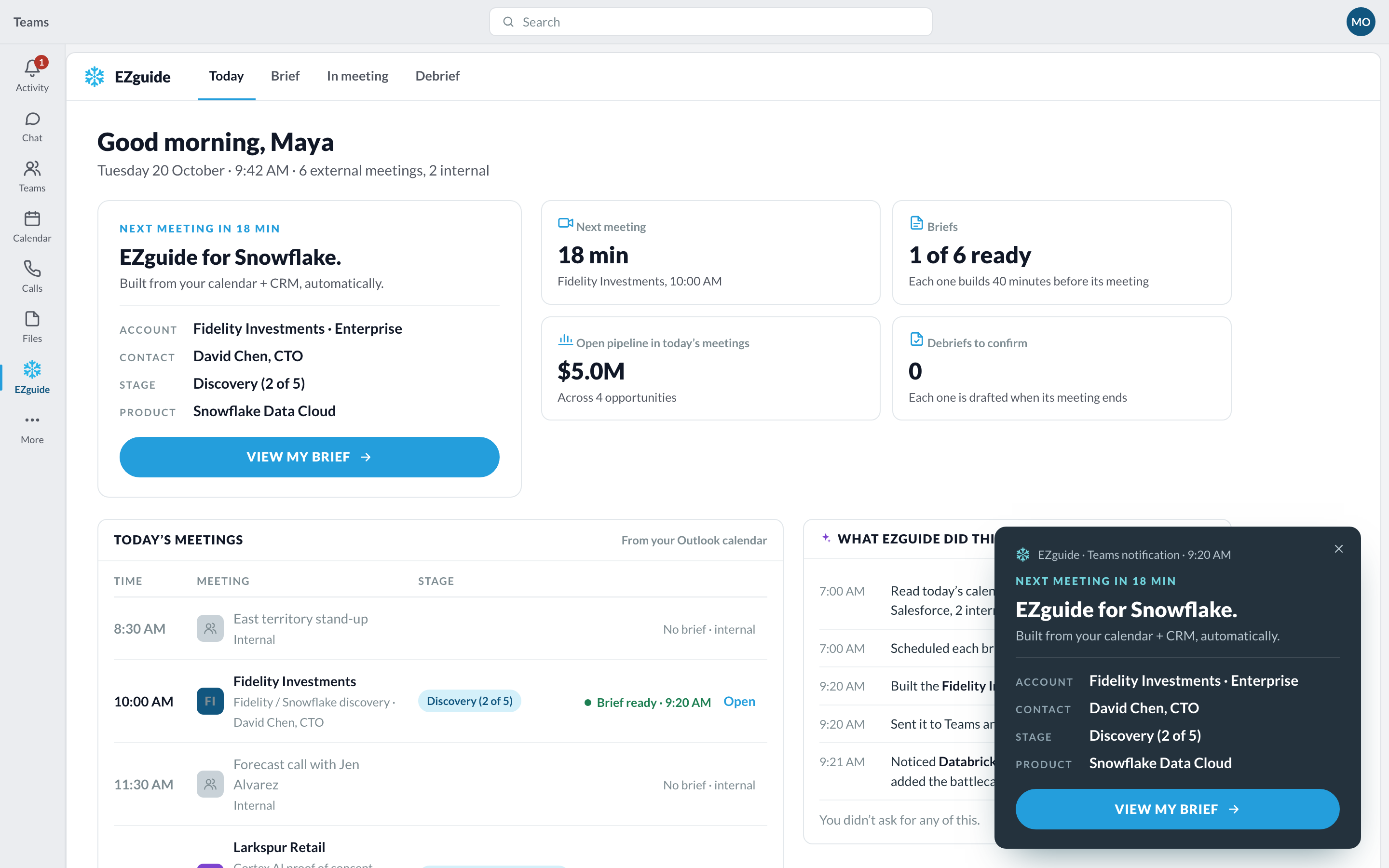
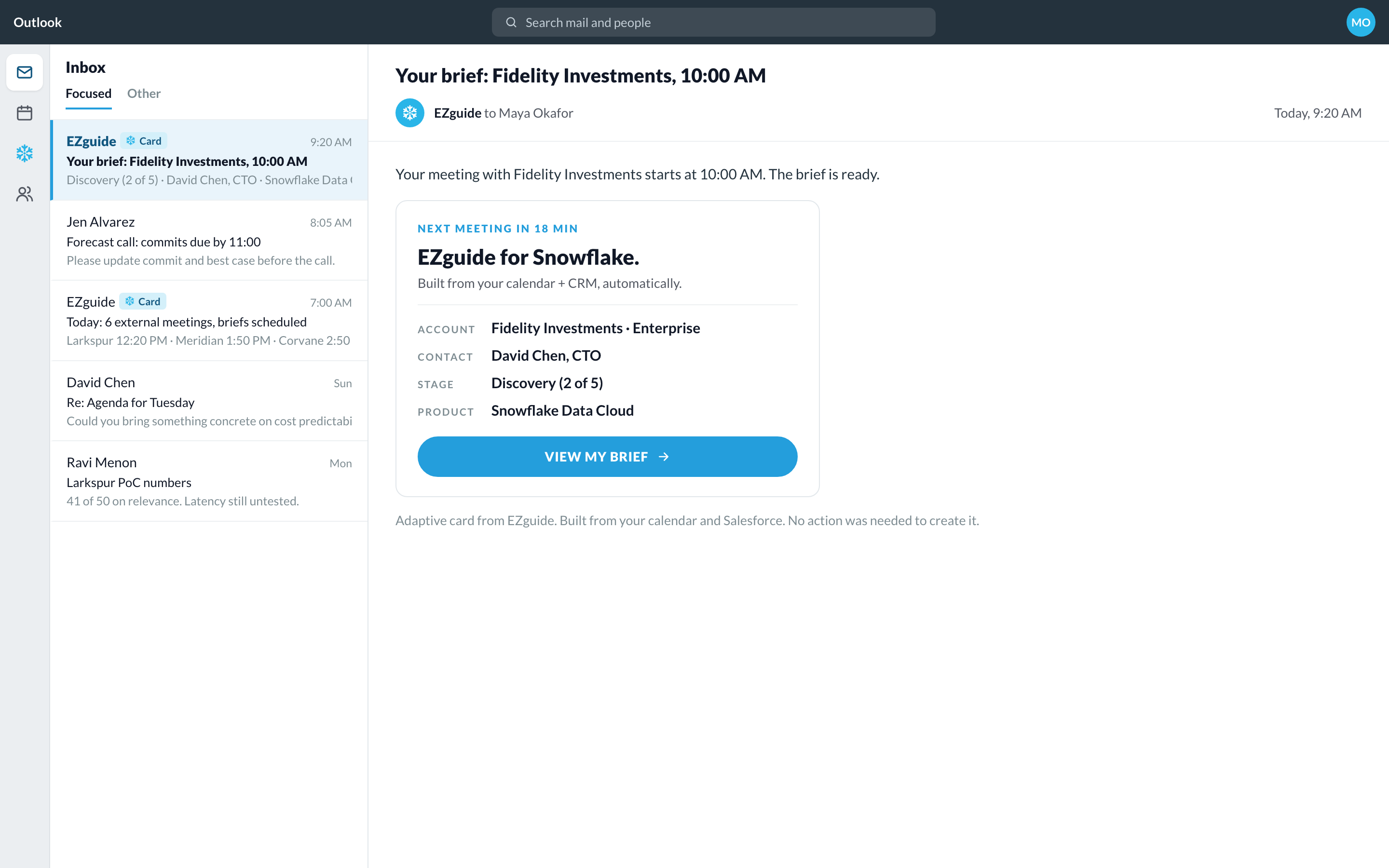
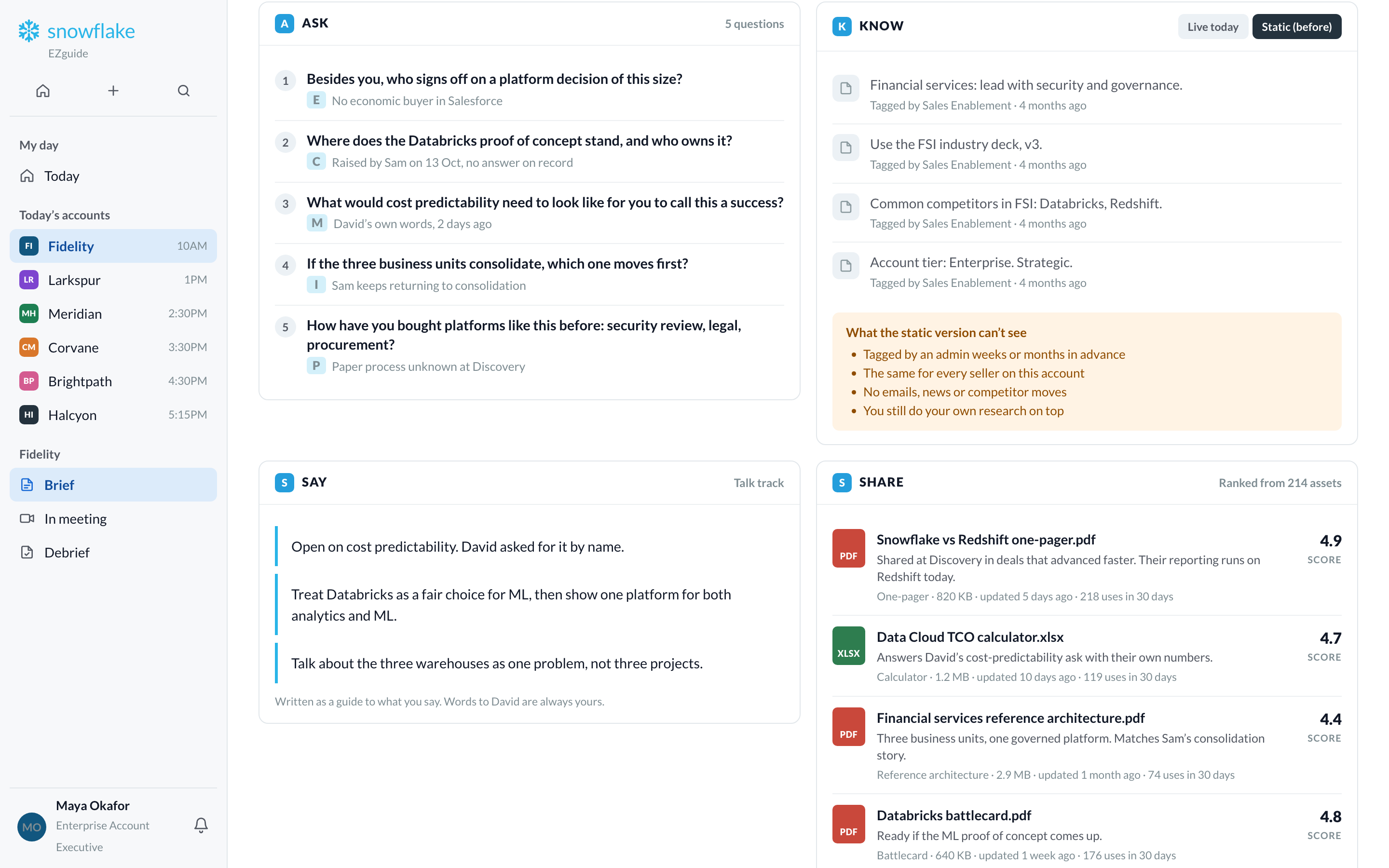
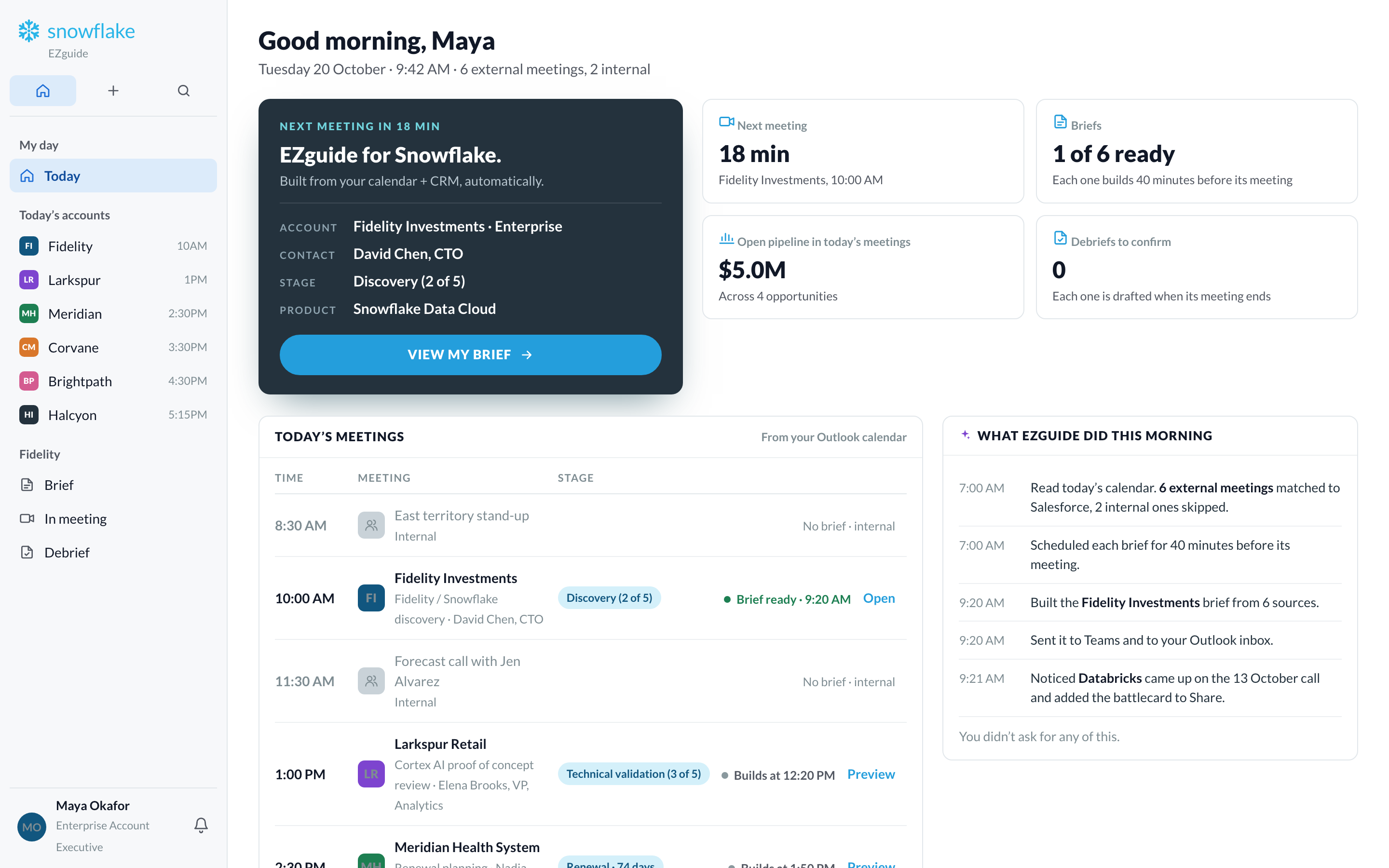
40 minutes before each customer meeting, EZguide prepares a brief and sends it to Teams and Outlook. Maya doesn’t have to do anything.
Maya prepares by hand
The brief arrives at 9:20
04Layer 2
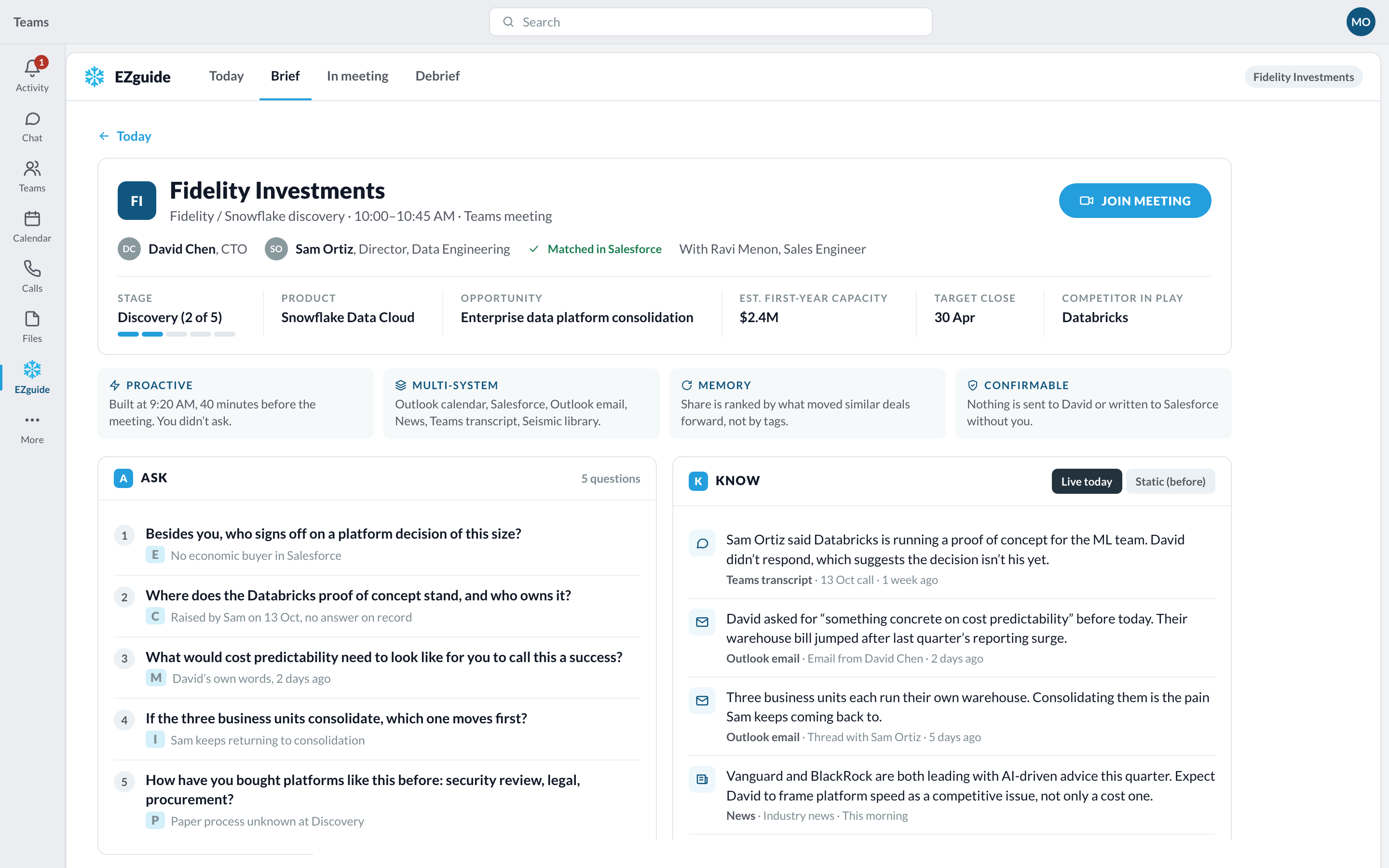
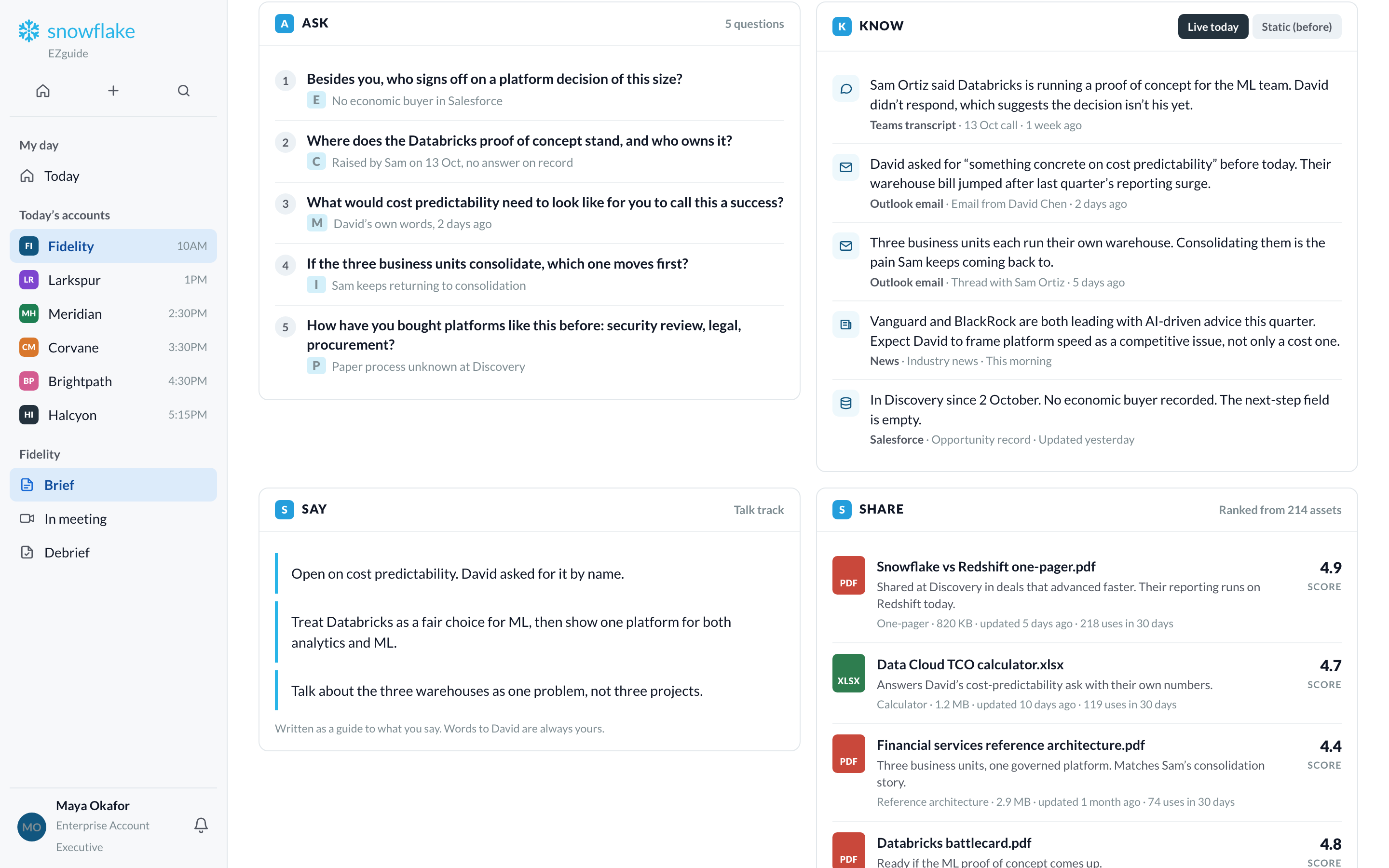
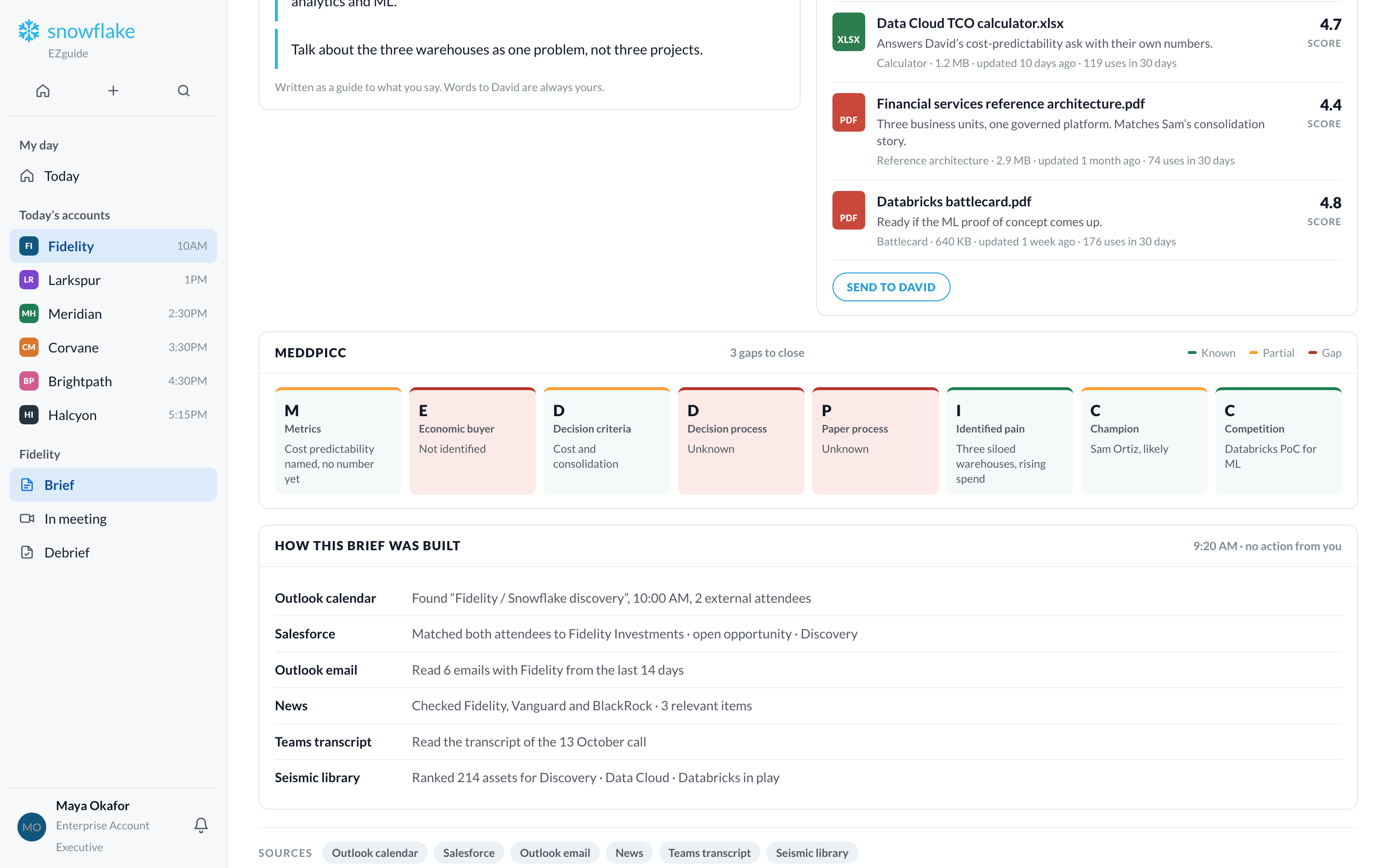
Four parts: questions to ask, things to know, what to say, and documents to share. Every point shows where it came from.
With EZguide
Before EZguide
A switch in the brief shows this old version for comparison.
Also in the brief
05Layer 3
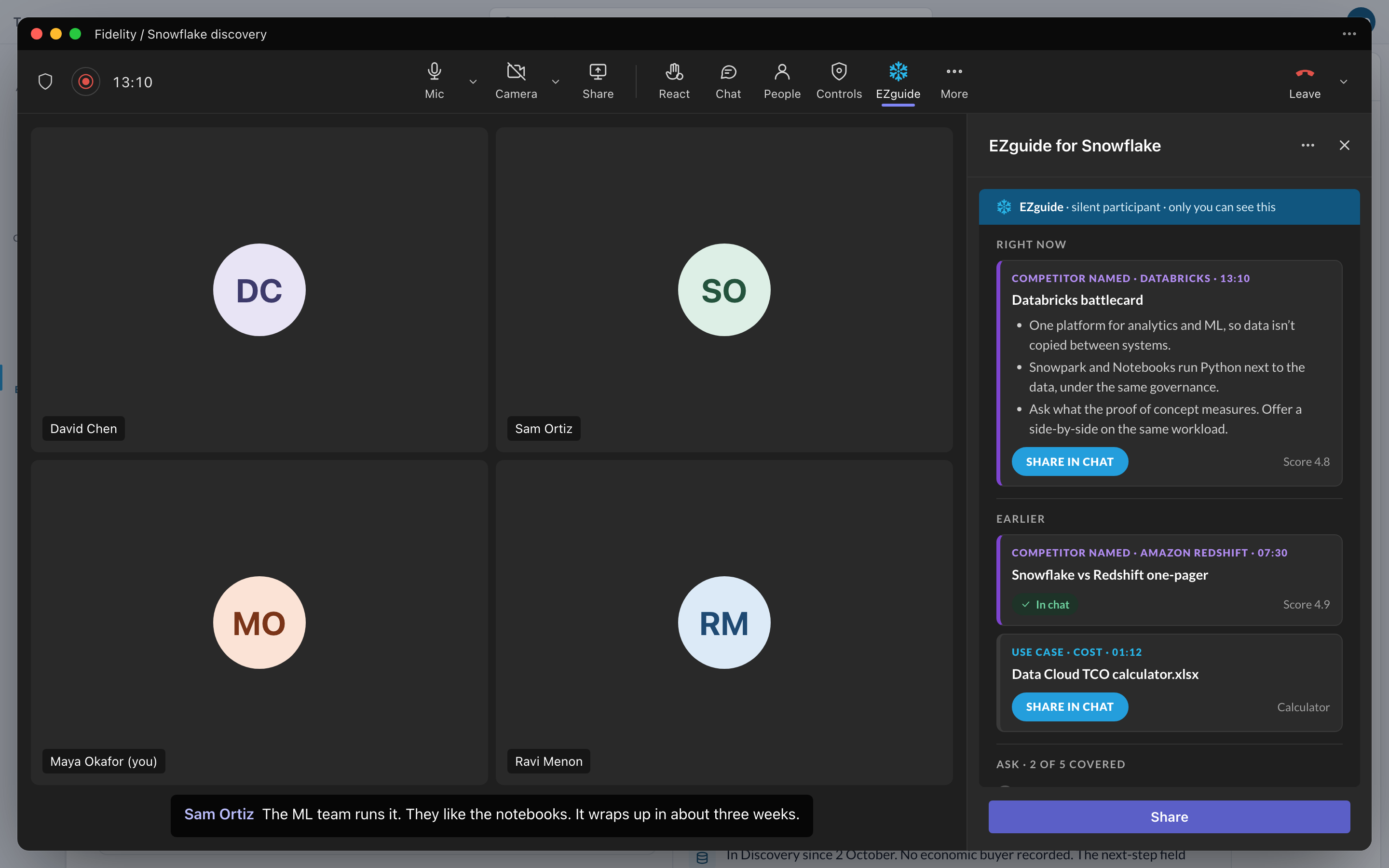
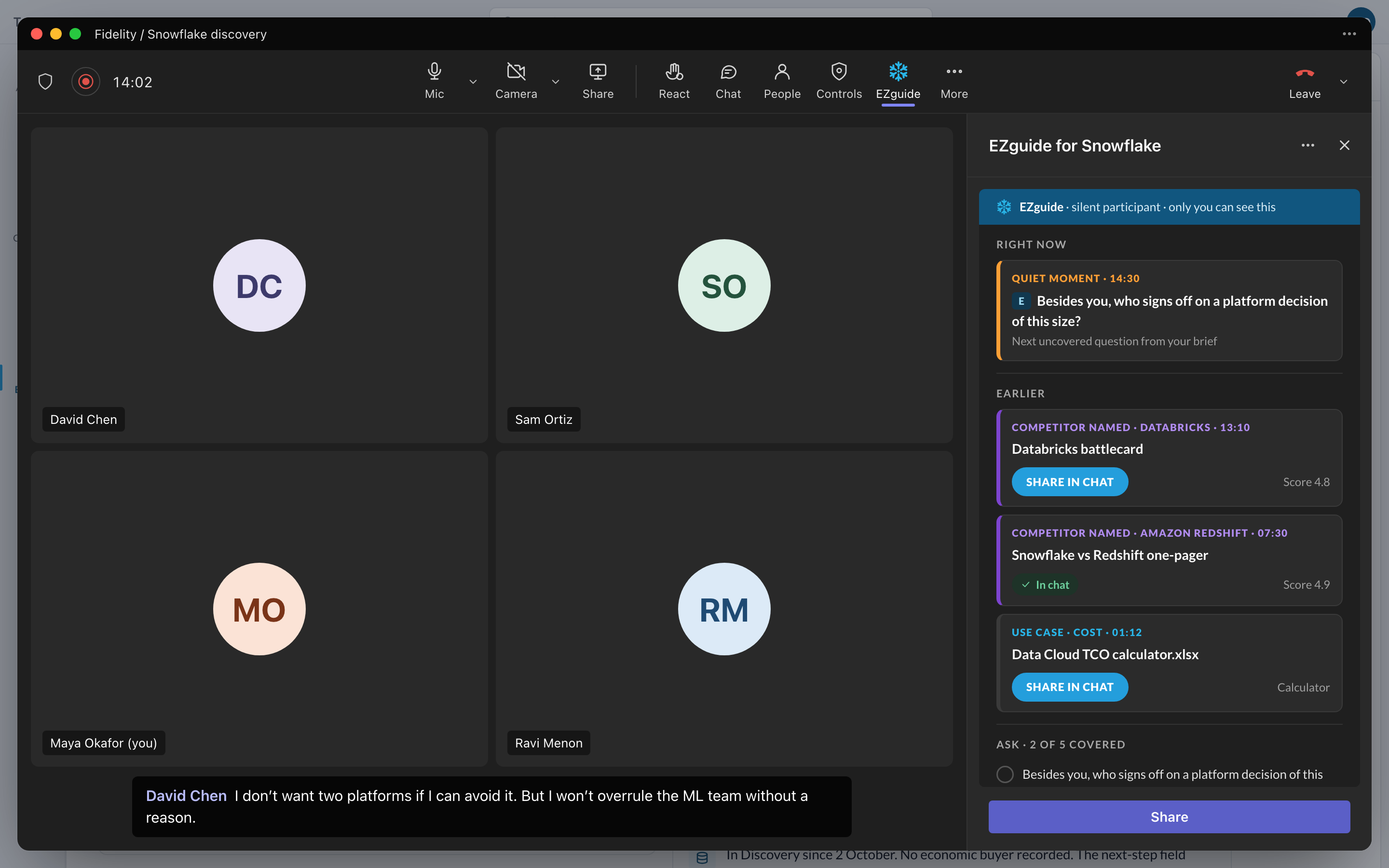
EZguide runs as an app inside the Teams call. It listens and shows useful information in a side panel. Only Maya can see it.
Example
Sam says the ML team is testing Databricks. EZguide shows the Databricks battlecard right away. Maya doesn’t search for it.

06Layer 4
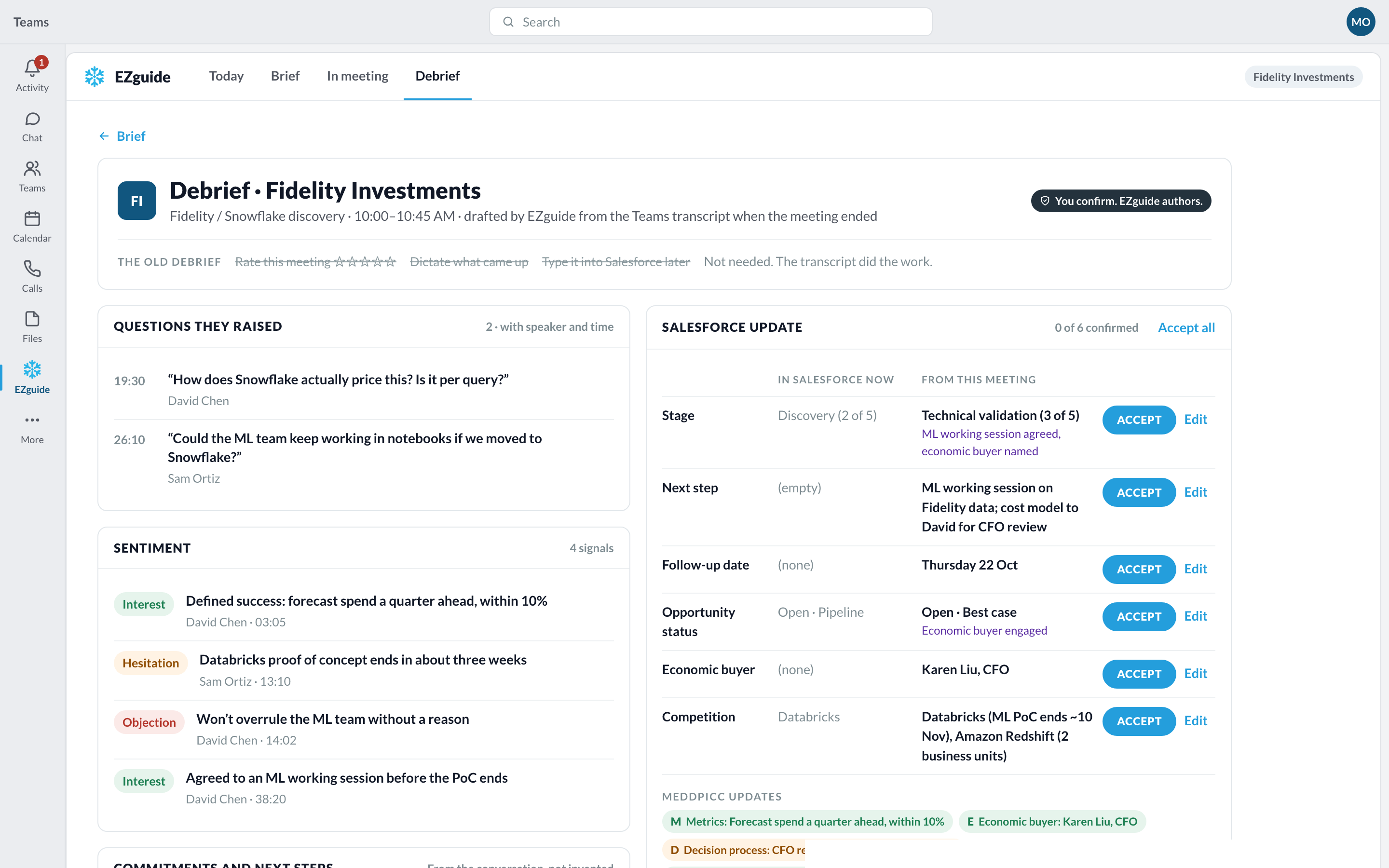
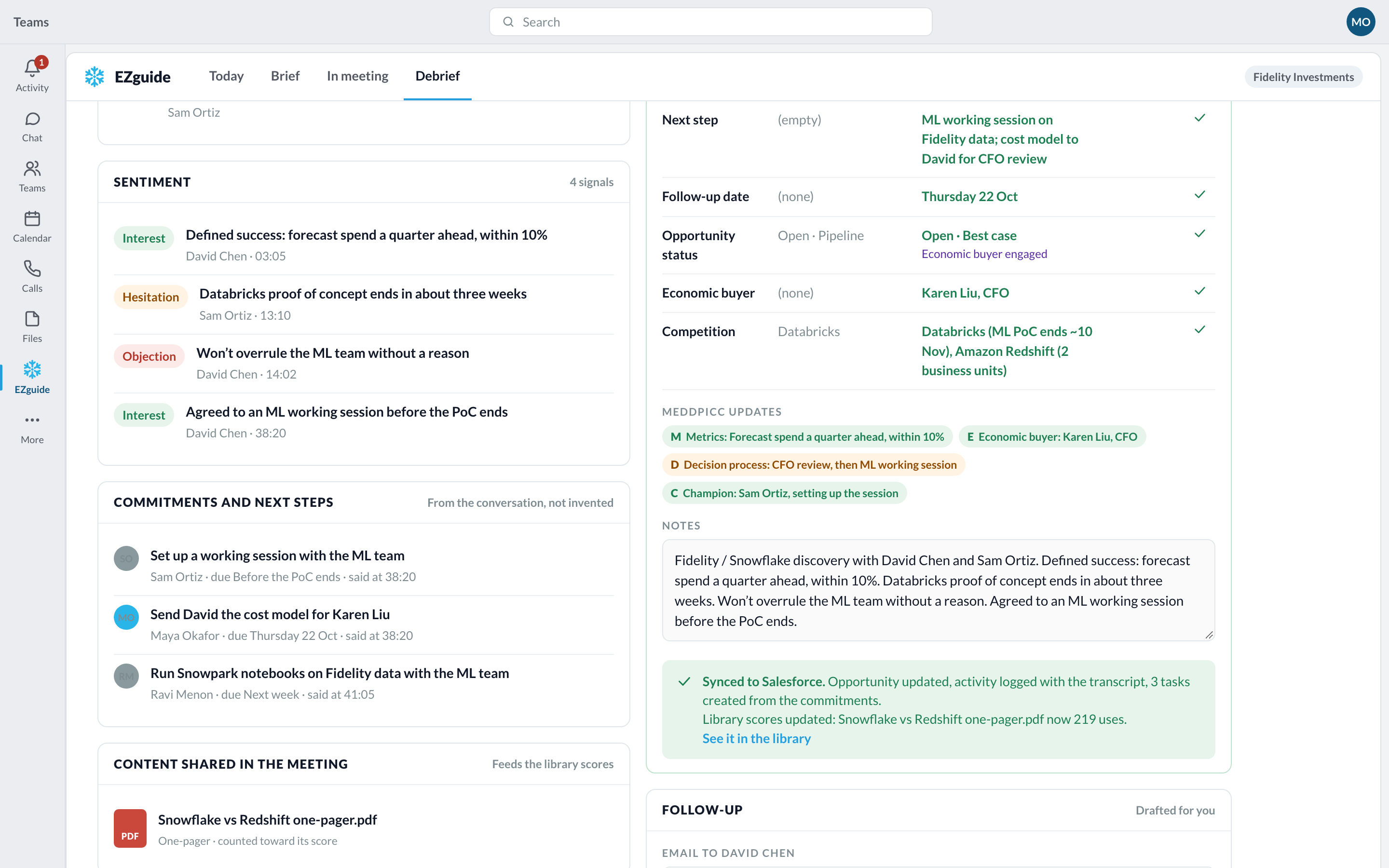
When the call ends, EZguide writes the meeting notes from the transcript. Maya checks them and saves them to Salesforce.
The notes
Saved
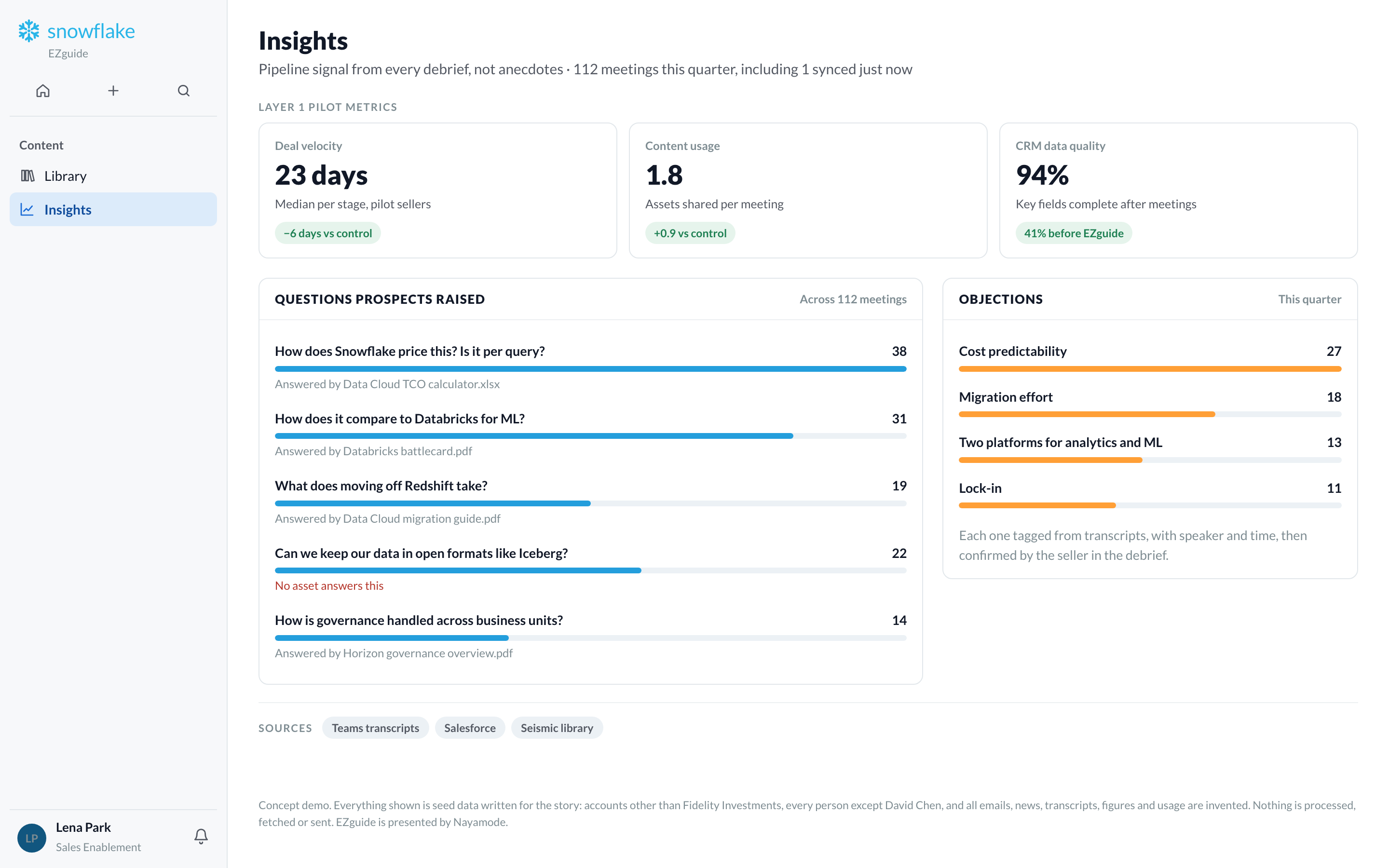
Sales leaders can see what customers ask about across all meetings.
07Layer 5
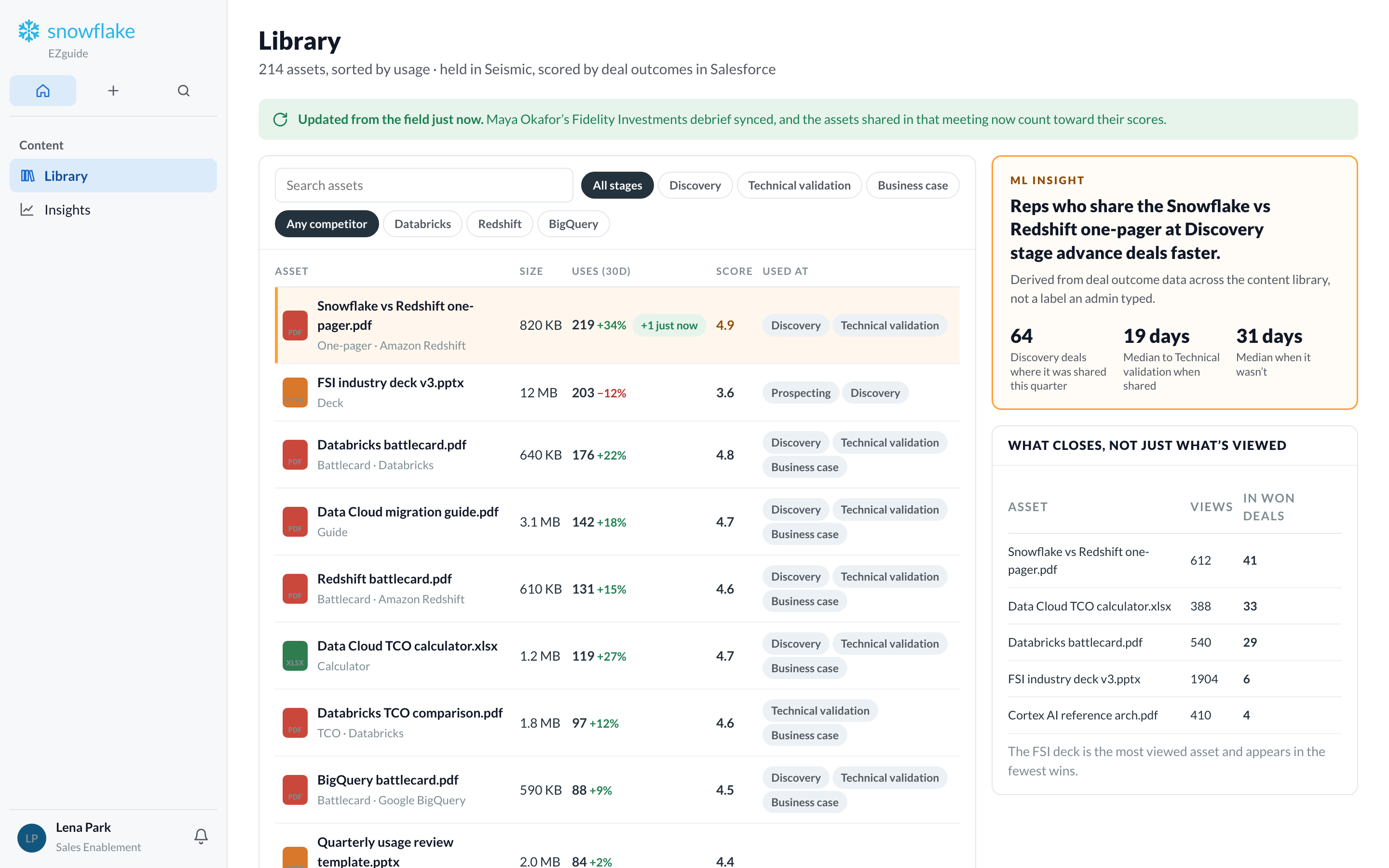
EZguide tracks which documents are shared and which deals move forward. Marketing can see what works.
Maya saves her notes
Lena sees the update
Insight
Based on deal results, not on tags someone typed. The library shows the one-pager’s use count going up after Maya’s meeting.
Insights
08
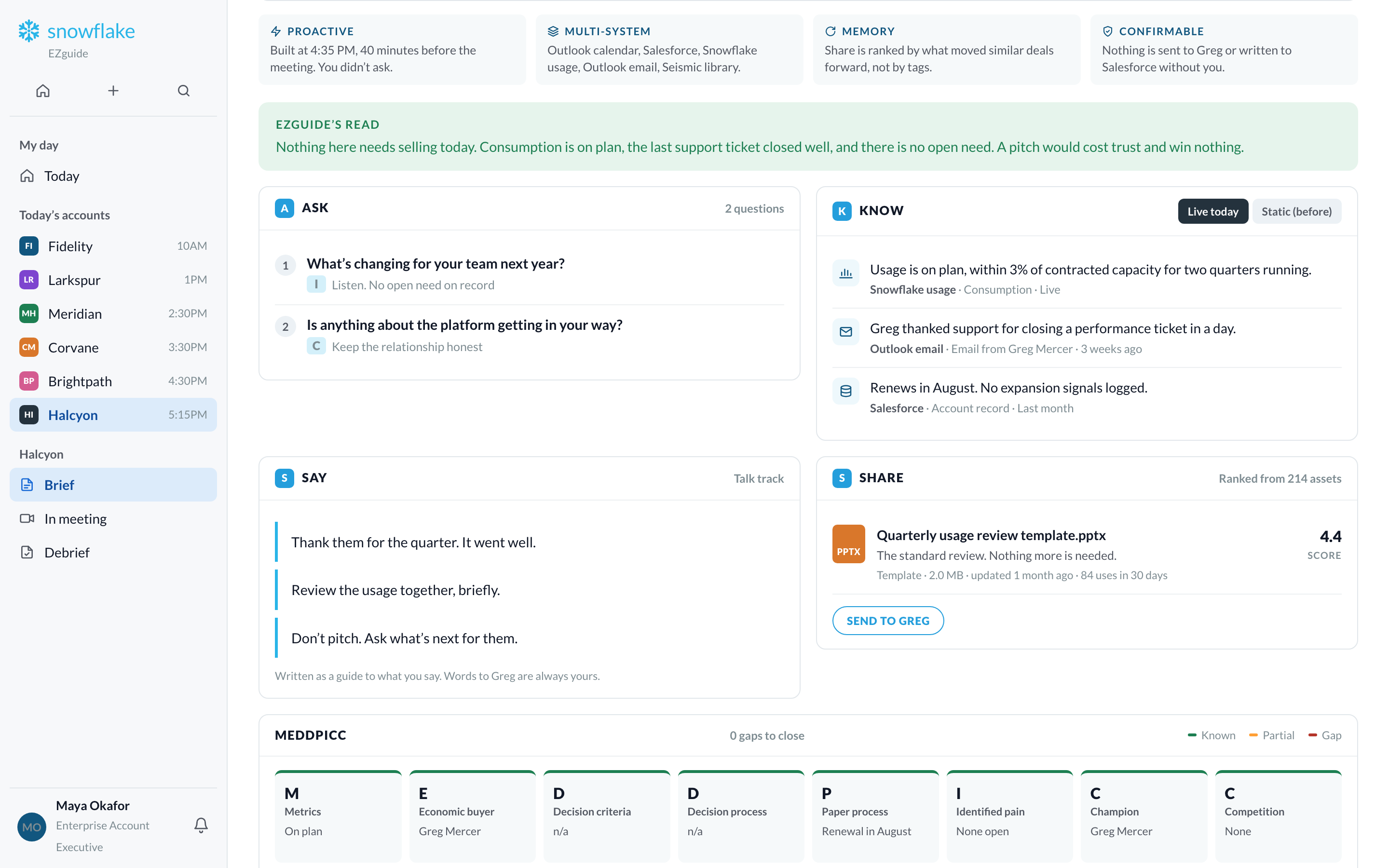
Maya’s last meeting is with a happy customer who has no new needs.
EZguide’s advice
Usage is on plan and there is no open need. Thank them, review the quarter, and ask about their plans.
09
In Teams and Outlook, which sellers already use. There is also a web view. Nothing new to install.
Notifications, the brief, and the side panel during calls.
The brief as an email card, with a side pane.
The whole day in one place, and the content library.
EZguide works on top of these systems. Nothing has to be moved or rebuilt.
10
Every step of the flow, side by side. These are live screens from the prototype, not pictures.
Drag to move. Pinch or Ctrl + scroll to zoom. Double-click a screen to zoom in. Open full screen ↗
11